What it costs
No subscription fee, and no cost to use the tools. We want to help keep postal shipments moving, so we've made them available to every SingPost shipper.
Zonos also sells subscription-based ecommerce products. You do not need any of them—those are for ecommerce sellers who want to integrate Zonos into their website's checkout page, so their shoppers see duties, taxes, and fees upfront.
How to set it up
Five steps. Steps 1 through 4 are one-time setup.
| Step 1 (one-time setup)
Available now
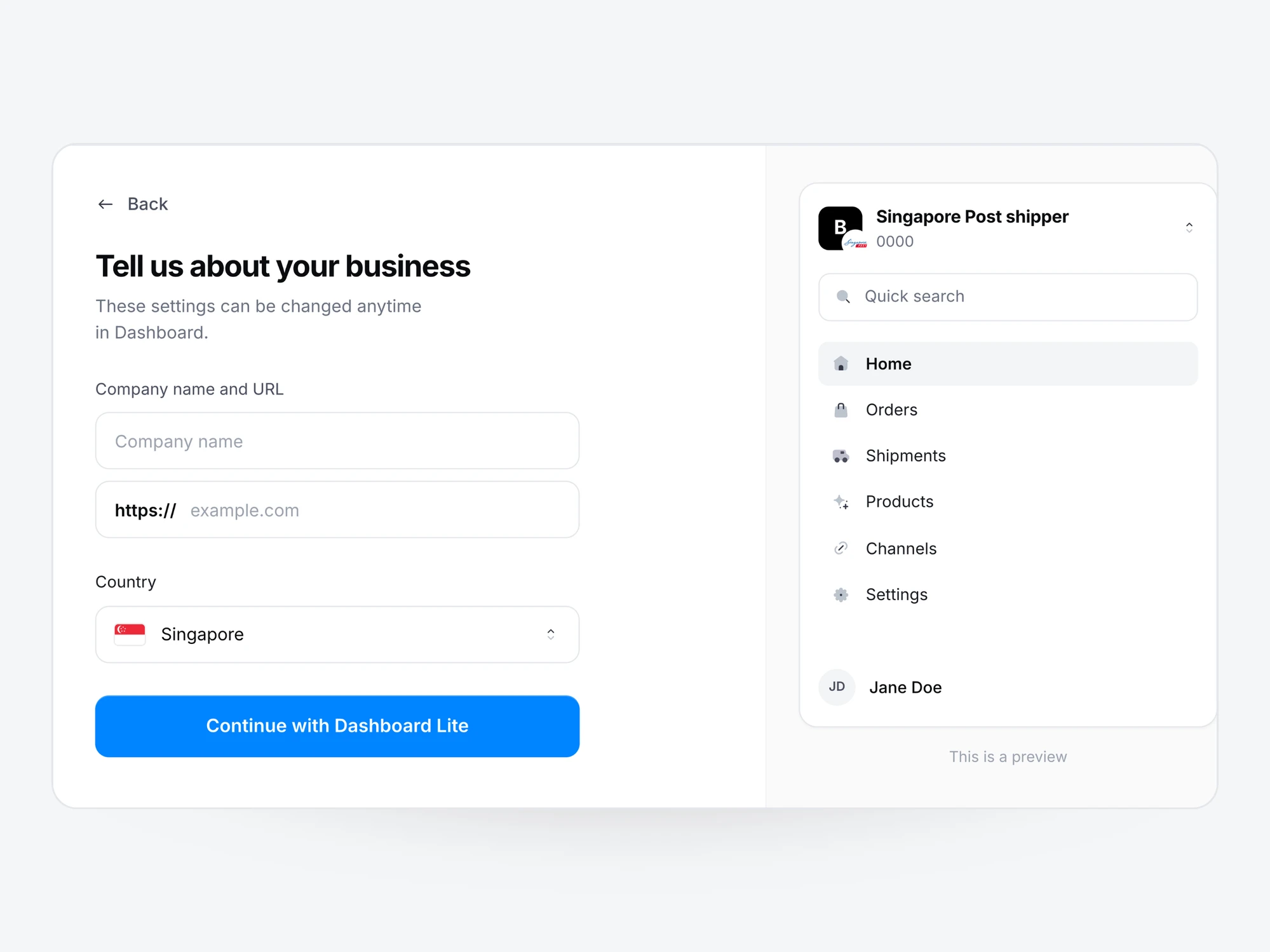
Create your free Verified Account
Sign up with your Google or Microsoft account, or enter your details manually, then add your business information.
Connecting your account to SingPost is covered in step 5.
| Step 2
Available now
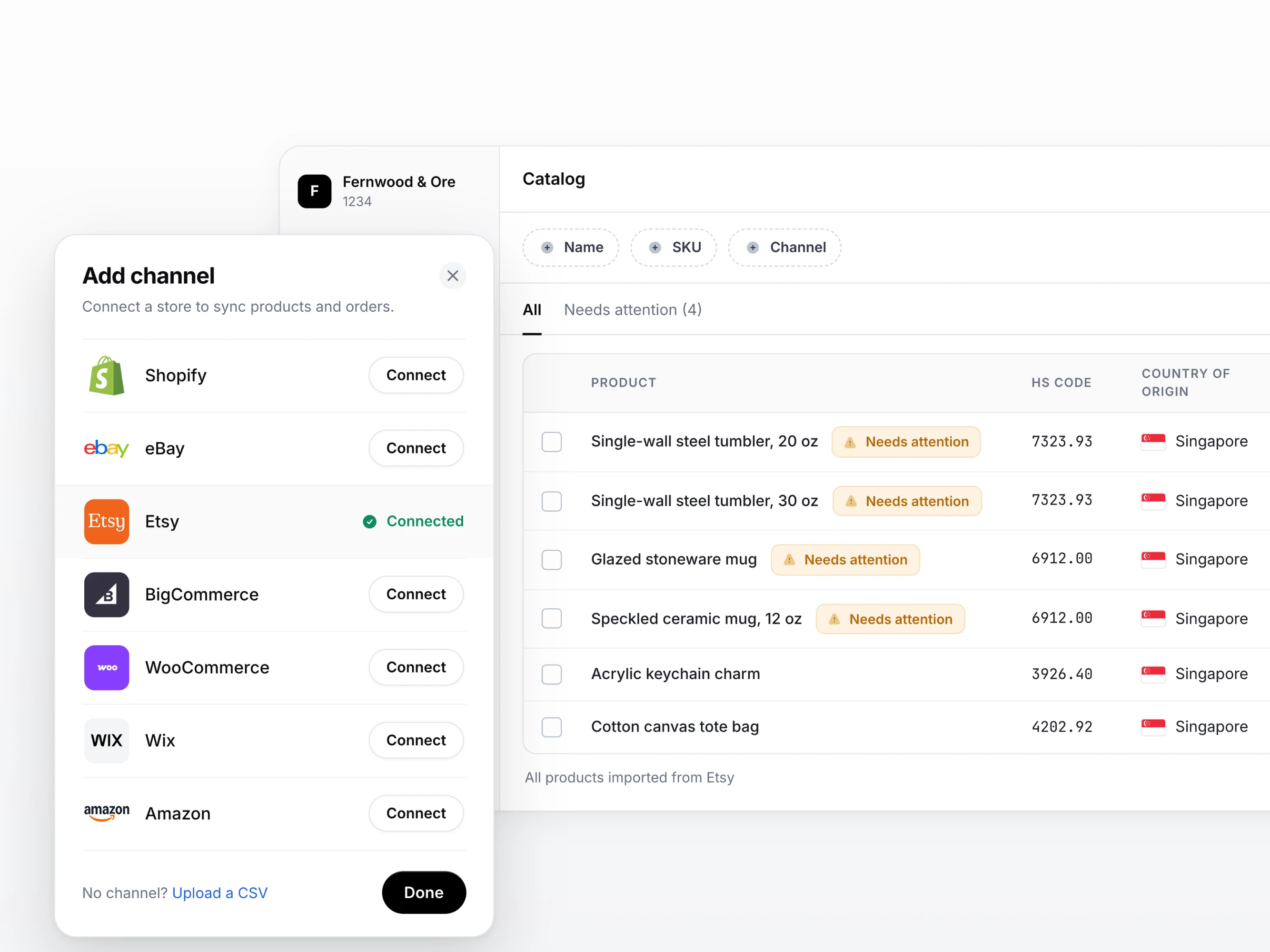
Connect your Catalog once
You have two ways to do this:
- Connect your store with Zonos Sync. Your products and orders sync automatically, keeping your Catalog current as your store changes. Etsy, eBay, Shopify, BigCommerce, WooCommerce, Adobe Commerce (Magento), Wix, and Amazon are ready, with more on the way.
- Upload a CSV. This works for any platform, and is the route to take if a connection to your store isn't available yet.
Either way, Zonos then knows what you sell, and can tell you which items need more information before they can be shipped to the U.S.
We recommend including each product's country of origin when you add products to your Catalog, since some checks depend on it.
When the product ID has to match. SingPost matches each item to your Catalog by the product ID you enter in ezy2ship—your productId, SKU, or Zonos Catalog Item ID—not by product name. Whichever you use has to match the product in your Catalog exactly. If they differ, Zonos cannot make the connection, and the shipment is treated as though the data was never provided.
| Step 3
Available now
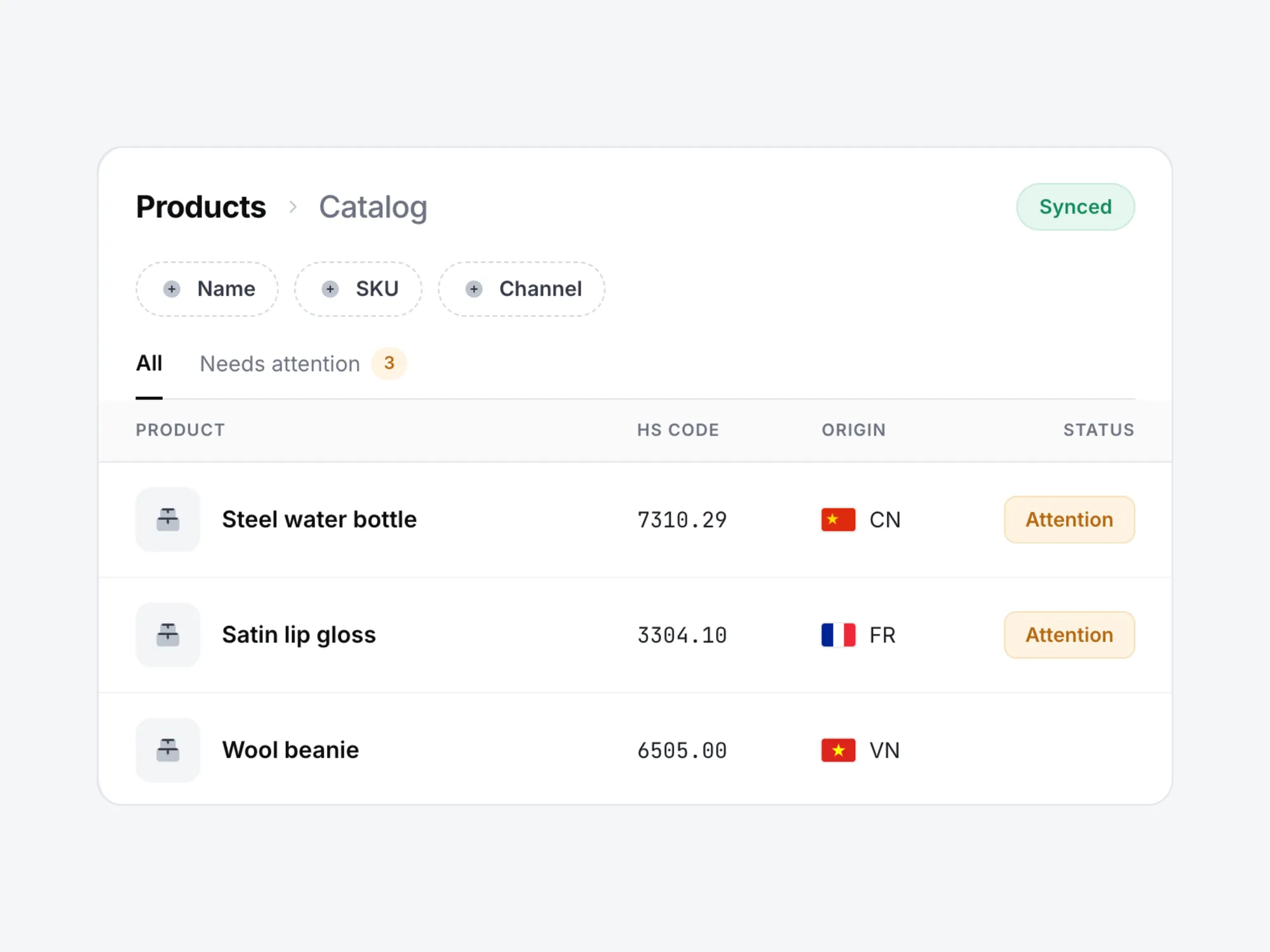
See which products need more data
Zonos checks every product in your Catalog and flags the ones that need attention, with the reason attached—melt and pour data for a steel water bottle, FDA details for a lip gloss. Anything without a flag is good to go.
The checks cover both sides of U.S. entry: the agencies that control what is allowed in, such as the FDA and CPSC, and the tariff programs that decide what you pay, such as Section 232.
| Step 4
Available now
Add the details for the flagged products
There are two ways to fill the gaps, and both save what you provide to the product so you never answer twice.
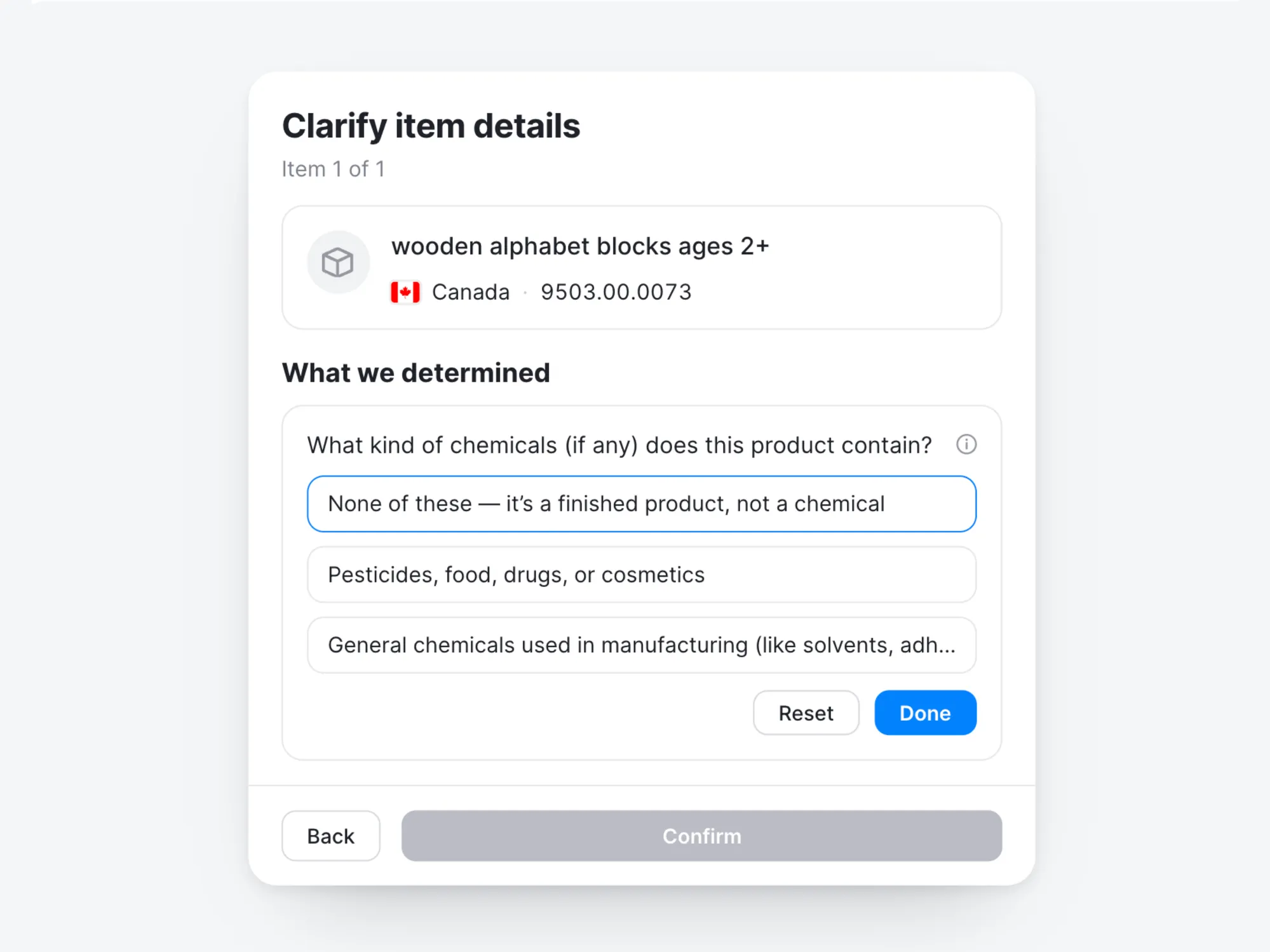
Zonos Clarify Zonos AI tells you what each flagged product is actually required to provide. Working that out yourself is possible, but slow: the requirements sit with different agencies and differ product by product. Clarify Zonos AI does it for you, whether the item is a set of wooden alphabet blocks or a lip gloss, and puts the questions in front of you.
It also infers the likely answers from the product information you already have, so you can move through a lot of products quickly—reviewing what Zonos proposes and correcting anything that needs it before you submit.
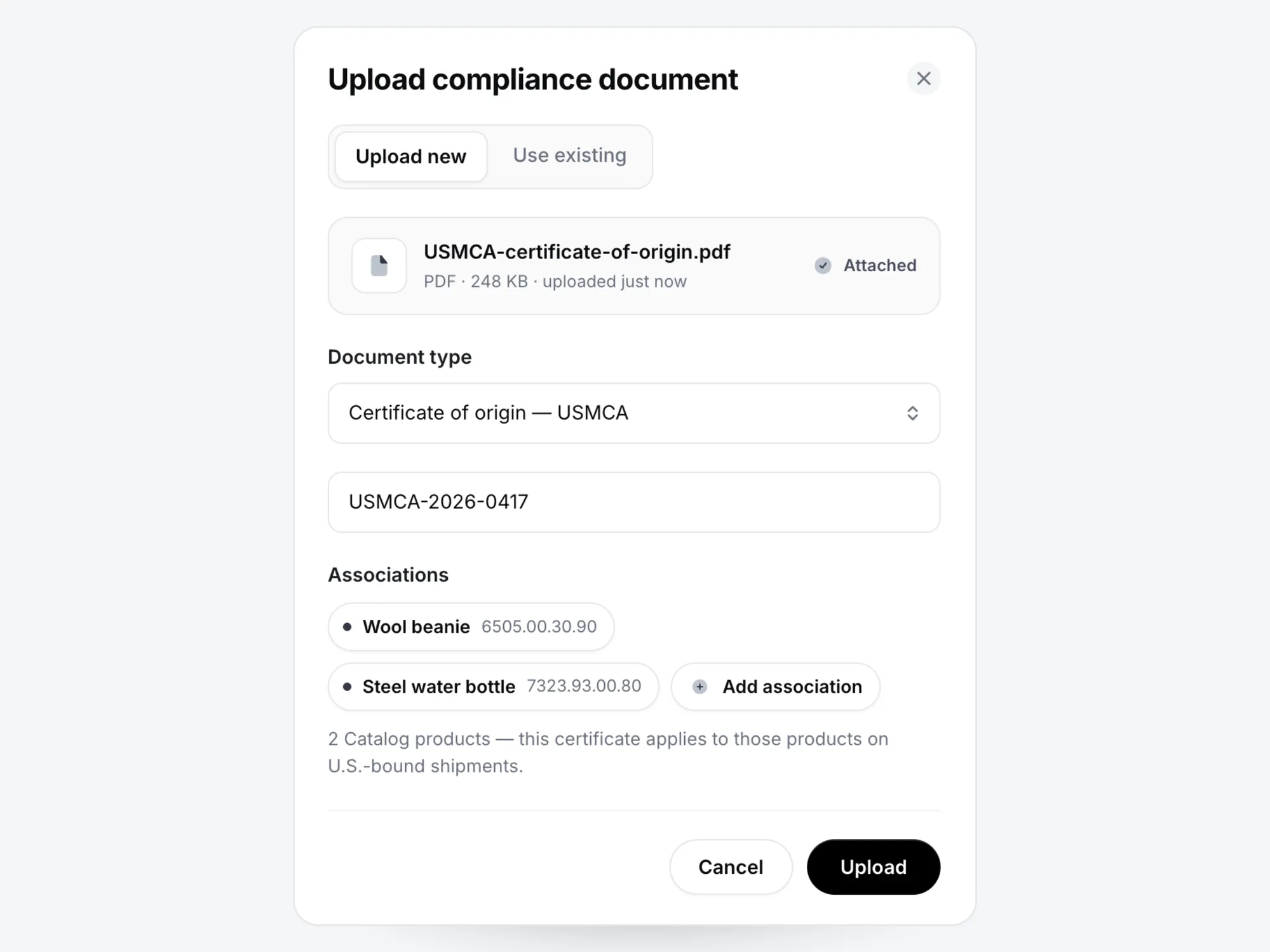
For requirements that paperwork satisfies, you can upload documents directly to your Catalog: certificates of origin, metal origin records for Section 232 (melt and pour for steel, smelt and cast for aluminum), and trade agreement documentation. Upload a document once and link it to every product it covers.
| Step 5
Add your Account Key and product IDs to your U.S. shipments
Connect your Verified Account to ezy2ship (one-time setup)
- Copy your Account Key from your Zonos Dashboard home page.
- In ezy2ship, go to Account Settings > My Preferences, paste your Account Key into the Verified Account field, and click SAVE. You only need to do this once.
Add a product ID to each item when you create a shipment
- For each U.S.-bound parcel valued under $2,500 USD, enter one product ID per product in the Merchant Product ID field in ezy2ship.
- The product ID can be your productId, your SKU, or your Zonos Catalog Item ID. Whichever you use must match the product in your Zonos Catalog.
- Your productId and SKU are the values you entered for each product. Zonos creates the Catalog Item ID, and you'll find it as a column when you export your Catalog.
ezy2ship sends the item details to Zonos, Zonos issues a Declaration ID, and ezy2ship links it to the parcel's tracking number.
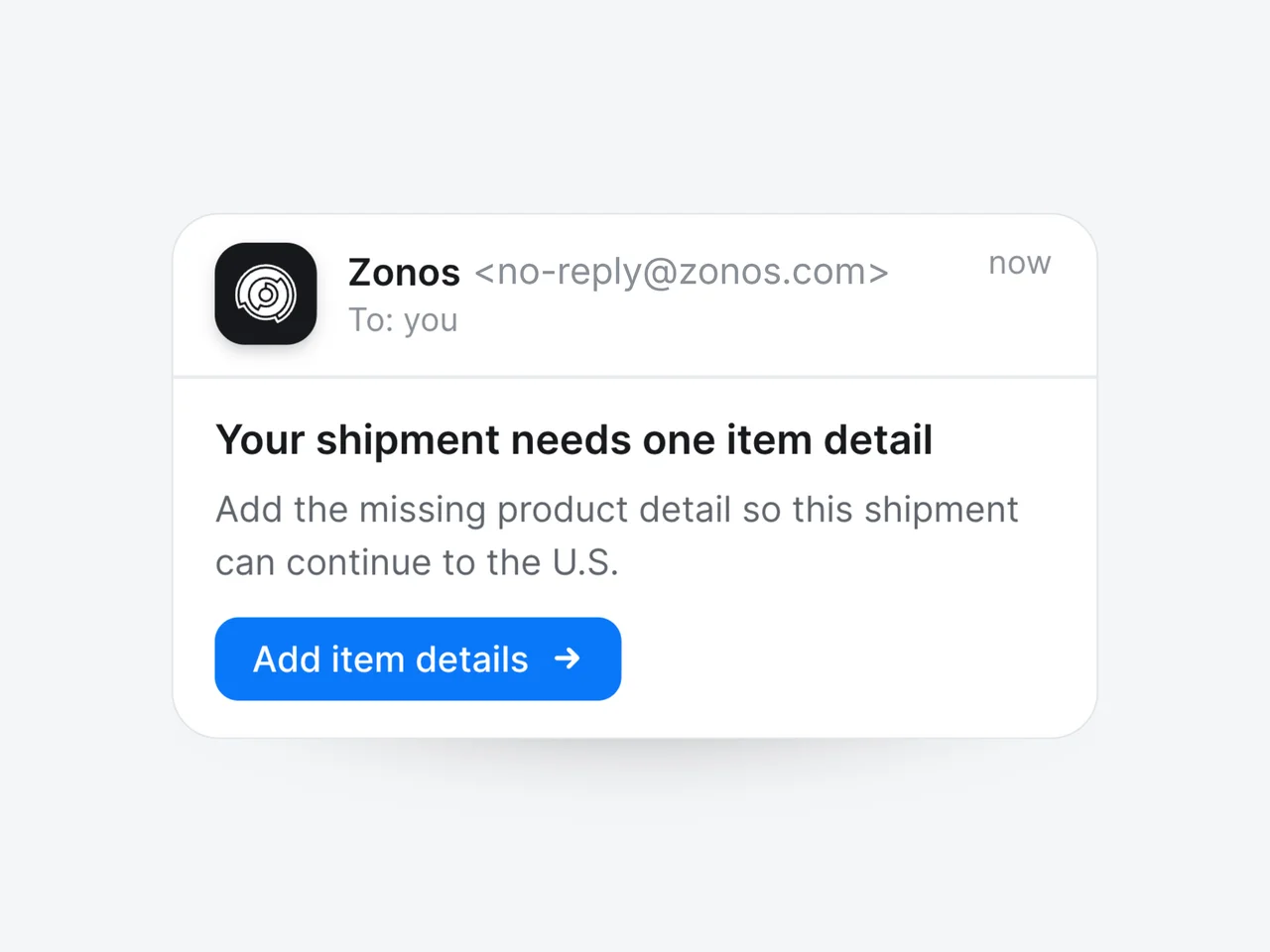
If you ship an item and required information is missing from your Catalog, Zonos will email you asking for it (coming soon). Setting up your Catalog ahead of time is always best to avoid delays.
| After setup
Coming soon
Zonos comes to you when a detail is missing
You do not have to keep the Catalog perfect on your own. Zonos checks each U.S.-bound shipment against what you have already provided, and if something is missing, emails you a link to the one question that needs answering. Your answer is saved to the product, so it is not asked again.
Three things changed for postal shipments to the U.S.
Two of these are already in effect. The third has a deadline of October 22, 2026, but it can start applying to your shipments before then, so it is worth having your data ready early.
Product-specific tariffs, like Section 232
Some U.S. tariffs depend on details about the product itself. Section 232, which has applied to postal shipments since July 24, 2026, covers steel and aluminum goods and asks where the metal was originally made—the country of melt and pour for steel, or smelt and cast for aluminum. Supply that documentation and your shipments can qualify for a lower duty rate.
Postal shipments are eligible for free trade agreements for the first time
USMCA, U.S.–Australia, U.S.–Korea, and U.S.–Israel can all reduce duty on goods that qualify, on shipments under $2,500 USD. Claiming a rate requires a valid certificate of origin with the shipment. Store the certificate against your products and Zonos sends it along, so the claim is available on every parcel it covers.
U.S. agency review starts for postal shipments on October 22, 2026
Partner government agencies are the U.S. bodies other than customs that control what can be imported—the CPSC for consumer products, the FDA for anything applied to or taken into the body, and others. From October 22, 2026, and possibly sooner, they review postal shipments too. Products they regulate need specific details supplied before the parcel can be cleared.
Zonos is the trusted leader in cross-border technology.
For more than 16 years, we've been powering international commerce by classifying products with HS codes and calculating duties and taxes with accuracy and reliability. Today, our technology supports some of the world's largest brands, logistics providers, and thousands of ecommerce businesses.
Our mission has always been to increase trust in cross-border trade by making cross-border simple, transparent, and compliant. SingPost shippers get the same product intelligence that powers those integrations, in a free account built for exactly one job: getting the U.S. information for your products right.
Why do I need to provide this information now when I haven't had to before?
Do I have to have a Verified Account to ship to the U.S. with SingPost?
What does a Verified Account cost?
How do I know which of my products need more data?
What happens if my product names don't match the goods description I send to SingPost?
Where do I find my Account Key?
Can I connect my store instead of uploading a CSV?
What is Zonos Clarify Zonos AI?
What documents can I upload, and which trade agreements are supported?
What is a PGA, and why does it matter to a postal shipment?
What is country of melt and pour, or smelt and cast, and why is Zonos asking for it?
When do I need to have this done by?
Who do I contact for help?
Everything in your free Verified Account
Everything you need to comply with the new U.S. requirements, lowering duty cost and reducing delays at customs. Explore the free tools for SingPost shippers below.
Free tools for SingPost shippers to meet new U.S. product data requirements
Support Free Trade Agreements (FTAs)
Add FDA, CPSC, and other PGA data
Reduce delays at customs
Add Section 232 data
Lower duty costs
The U.S. now requires more information about certain products shipped into the country. Zonos tells you which of yours are affected, asks the questions U.S. customs would ask, and sends the answers with every shipment—so nothing sits at the border waiting on a detail.
Create your account and you will get your Account Key—the reference that connects your U.S. shipments to the product data you store in Zonos.
Create your free account